Guides
Accessible QR Codes: What the European Accessibility Act Means for Your Codes
The European Accessibility Act has applied since June 2025 and is enforced by national authorities. Learn how to make QR codes and their destinations accessible, with a practical checklist.
Back to blogAccessible QR Codes: What the European Accessibility Act Means for Your Codes
Introduction
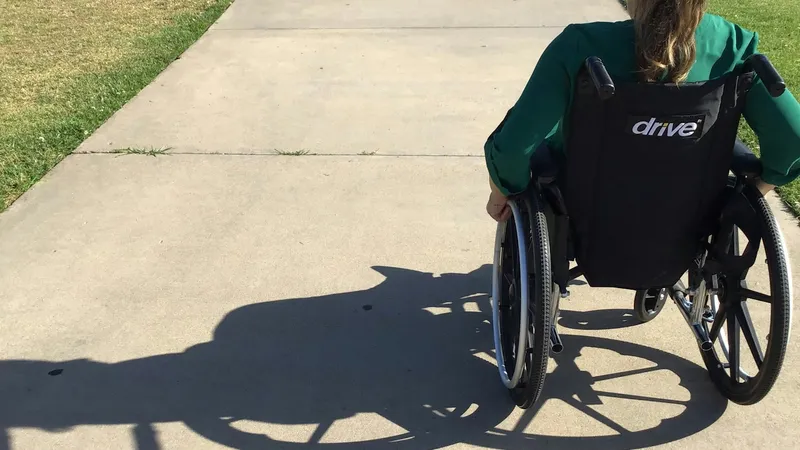
QR codes are supposed to make life easier. But for a blind customer, a wheelchair user, an older person with low vision, or someone with a cognitive disability, a badly placed code leading to an inaccessible page can be a locked door.
Since June 28, 2025, the European Accessibility Act (EAA), Directive (EU) 2019/882, has required many products and services sold in the EU to be accessible, including e-commerce, banking, e-books, passenger transport information, telecoms, and self-service terminals such as ticket machines and check-in kiosks. Enforcement is carried out by national market surveillance authorities, so how actively the rules are checked varies by country.
The EAA does not have a “QR code article”, but it applies to the services QR codes lead to. If a code is part of how customers access your service, the whole journey needs to work for everyone. This guide explains what that means in practice.
Why QR Codes Matter for Accessibility
A QR code is a doorway. Accessibility problems can appear at three points:
- Finding the code: Is it placed where everyone can reach and see it?
- Scanning the code: Can people with low vision or motor impairments scan it?
- Using the destination: Is the page or app accessible?
If any of these fails, the experience fails.
What the EAA Covers
The EAA applies to businesses providing covered products and services to consumers in the EU, including:
- E-commerce websites and apps
- Banking services for consumers
- Passenger transport services (air, bus, rail, waterborne), including websites, apps, and real-time information
- Electronic communications and access to audiovisual media services
- E-books and dedicated reading software
- Self-service terminals: ATMs, ticketing machines, check-in kiosks, payment terminals
Microenterprises providing services (fewer than 10 employees and turnover or balance sheet of no more than 2 million euros) are exempt from the service requirements, although accessibility is still good practice. Some transition periods apply: services can keep using products already in use before June 28, 2025 until June 28, 2030, and self-service terminals already in use can remain in service until the end of their economic life, up to 20 years.
The reference technical standard is EN 301 549, which incorporates the WCAG web accessibility guidelines. Each Member State has transposed the Directive into national law (in Spain, for example, through Law 11/2023), so check your country’s specific rules.
Accessible QR Code Checklist
1. Never Make the QR Code the Only Way In
Always provide an alternative: a short, readable URL printed under the code, a phone number, staff assistance, or a printed version of the content. This is the single most important rule.
2. Place Codes Where Everyone Can Reach Them
- Position codes at a height reachable from a seated position, not only at standing eye level
- Avoid placing codes behind barriers, above counters, or in cramped corners
- Keep enough space around the code for a person to approach with a wheelchair or walking aid
3. Make Codes Easy to Find
- Use a consistent location, for example always on the right edge of tables or at the same height on signs
- Consider a tactile indicator, such as a raised frame or notch, so blind users can locate the code by touch
- Add a clear label in large, high-contrast text: “Scan for the menu”
4. Make Codes Easy to Scan
- Use dark modules on a light background with strong contrast
- Print codes large enough to be scanned from a comfortable distance. Bigger is better for people with tremors or low vision. See our QR code size guide
- Use matte finishes to avoid glare
- Keep URLs short so the code has fewer, larger modules
5. Make the Destination Accessible
This is where the EAA really bites. The page behind the code should:
- Meet WCAG 2.1 AA or the level required by your national law
- Work with screen readers and zoom
- Use clear, simple language
- Not rely on colour alone to convey information
- Avoid time limits and auto-playing media
- Load fast on mobile networks
A PDF menu that is just a scanned image is inaccessible. A text-based, responsive web page is far better.
6. Explain What the Code Does
Tell people what they will get and where they will go before they scan: “Scan to open our menu at yourrestaurant.com/menu”. That helps everyone, including people using screen readers that announce the URL.
7. Consider Specialized Accessible Codes
Some transport networks and public buildings use specialized codes designed to be detected from a distance by apps for blind and low-vision users, which then guide them by voice. For high-traffic public spaces, these can complement standard QR codes.
Common Use Cases and How to Fix Them
Restaurant Menus
Problem: QR-only menus with image PDFs. Fix: offer printed menus on request and link to an accessible HTML menu. Our QR codes for restaurants guide has more ideas.
Transport and Ticketing
Problem: QR codes on high signs linking to non-accessible timetables. Fix: lower placement, audio alternatives, and accessible real-time information pages.
Retail and Packaging
Problem: tiny QR codes on product labels leading to marketing pages. Fix: larger codes where possible and accessible product pages with the essential information first. With GS1 Sunrise 2027 putting QR codes on more products, accessible destinations will matter even more.
Banking and Payments
Problem: QR payment flows that do not work with screen readers. Fix: test with assistive technologies and always offer an alternative payment method.
Testing Your QR Codes for Accessibility
- Scan from a seated position at the actual location.
- Test with a screen reader (VoiceOver on iOS, TalkBack on Android) from scan to task completion.
- Zoom the destination page to 200% and check that nothing breaks.
- Ask real users with disabilities for feedback when possible.
- Audit regularly: accessibility is not a one-time task.
Scaling Accessible Codes
If you manage many locations, tables, or products, consistency is what makes codes accessible: same placement, same label style, same destination quality. Generate your codes in one batch with a bulk QR code generator like MultipleQR, using short URLs, so every code has the same size and quality.
Conclusion
The European Accessibility Act is a reminder that a QR code is only as good as the experience it unlocks. Place codes where everyone can reach them, provide alternatives, keep them large and high-contrast, and make sure the destination works with assistive technologies.
Accessibility is not only about compliance. It means more customers can use your service, and a better experience for everyone. When you are ready to regenerate your codes with short, clean URLs, MultipleQR lets you create them all at once and download them free in a single ZIP.
Try it free
Ready to Create Your QR Codes?
Generate bulk QR codes instantly with MultipleQR.com. Free, unlimited, no registration required.