Business
VeriFactu 2027: Spain's Mandatory Invoice QR Code Explained
From January 1, 2027, Spanish companies, and from July 1 self-employed professionals, must print a tax QR code on every invoice. Technical requirements, deadlines, exemptions, and how to prepare.
Back to blogVeriFactu 2027: Spain’s Mandatory Invoice QR Code Explained
Introduction
If you run a business or work as a self-employed professional in Spain, a small square is about to appear on every invoice you issue: the VeriFactu tax QR code. After the postponement introduced by Royal Decree-Law 15/2025, which the Spanish Parliament validated in December 2025, the final timeline is:
- January 1, 2027: companies subject to Corporate Income Tax
- July 1, 2027: self-employed professionals and all other obligated taxpayers
With just over three months until the first deadline, many companies are switching invoicing software, and the same questions keep coming up: what exactly is this QR code, what does it contain, where does it go, and what happens if you do not include it?
This guide answers them clearly. It is also useful for international companies with a Spanish entity or branch.
Disclaimer: This article is for information only. Always check the official guidance of the Spanish Tax Agency (AEAT) and consult your tax advisor.
What Is VeriFactu?
VeriFactu is the system created by Spain’s Anti-Fraud Law and the Regulation on invoicing software (Royal Decree 1007/2023). Its goal is to ensure that the software businesses use to invoice cannot alter or delete invoices without leaving a trace.
Invoicing programs must:
- Create an invoicing record for every invoice issued
- Chain records with a hash that prevents tampering
- Be able to send records to the Tax Agency in real time (VERI*FACTU mode) or store them with reinforced guarantees
- Print a QR code on each invoice so it can be verified
The QR Code: Technical Requirements
The specifications are set out in Order HAC/1177/2024. The key points are:
Size and Standard
- Between 30x30 and 40x40 millimeters
- Compliant with ISO/IEC 18004
- Error correction level M (medium)
Content
The QR code does not contain encrypted data. It is a URL on the AEAT’s electronic office with four parameters:
- The issuer’s tax ID (NIF)
- The invoice number and series
- The issue date
- The total amount
When scanned, the customer reaches the Tax Agency’s verification service and can check whether the invoice has been registered.
Presentation
The code must be labeled “QR tributario” and, in systems that send records to the AEAT, carry the legend “VERI*FACTU” or “Factura verificable en la sede electrónica de la AEAT”. The AEAT recommends placing it at the top of the invoice, in a visible position.
Who Is Affected and Who Is Not
Affected: businesses and professionals that use a computer system to invoice, including installed programs, cloud solutions, point-of-sale systems that print receipts, and ERPs.
Not affected, among other cases:
- Taxpayers using the SII (Immediate Supply of Information) system
- Regions with their own system: the Basque Country (TicketBAI/Batuz) and Navarre
- Businesses that invoice by hand, without software
If you are unsure about your situation, ask your advisor.
Receipts, Simplified Invoices, and POS Systems
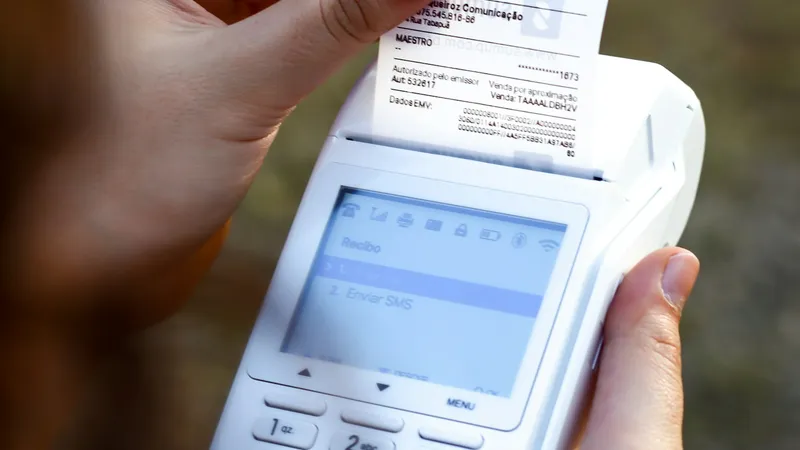
The QR code must also appear on simplified invoices, the receipts issued by shops, restaurants, and bars. Check that your receipt printer produces the code at the right size and quality: a blurry or undersized QR code cannot be verified.
Our QR code size guide explains why size and contrast matter so much when printing.
Important: Your Invoicing Software Generates This QR Code
The VeriFactu QR code is different on every invoice, because it includes the invoice number, date, and amount, and it must match a real invoicing record. That is why it must be generated by your certified invoicing software, not by an external tool. Creating the QR code yourself does not make you compliant: the law requires the full system.
When choosing software, check that:
- The vendor has issued the statement of compliance (declaración responsable)
- It generates the QR code to official specifications
- It supports VERI*FACTU mode (automatic submission to the AEAT) if you choose it
- It prints correctly on all your formats: A4, PDF, and receipts
How to Prepare: Checklist
- Identify your deadline: January 1 or July 1, 2027.
- Ask your software vendor whether it is already compatible and when VeriFactu will be activated.
- Choose your mode: VERIFACTU (sending records to the AEAT) or non-VERIFACTU (storage with reinforced requirements).
- Review your invoice and receipt templates to make room for the QR code.
- Test: issue test invoices and scan the code with several phones.
- Train your team: what the code is and how to answer customer questions.
Other QR Codes You Can Create Yourself
Although the tax QR code comes from your software, VeriFactu is a good moment to review the rest of your business’s codes. Many businesses take the opportunity to add:
- A counter QR code to request a full invoice through a form
- A receipt QR code to leave a review or check the returns policy
- An invoice QR code to pay by bank transfer or open the customer portal
For these uses, which are not part of VeriFactu, you can create as many codes as you need with a bulk QR code generator like MultipleQR. Just never place them where they could be confused with the tax QR code.
Frequently Asked Questions
What happens if I do not comply? The Anti-Fraud Law sets significant penalties for using non-compliant software, for both users and software vendors. Check your specific situation with your advisor.
Does the customer have to scan it? No. It is a voluntary verification tool for customers.
Is VeriFactu the same as mandatory B2B e-invoicing? No. They are separate obligations. VeriFactu regulates invoicing systems and the QR code; mandatory B2B e-invoicing under Spain’s “Crea y Crece” law has its own rules and timeline.
Conclusion
The VeriFactu QR code will turn every invoice and receipt in Spain into a document any customer can verify with a phone. For businesses, the real work is choosing compliant invoicing software and updating templates before 2027.
And if you use the change to modernize the rest of your business QR codes, such as reviews, payments, or forms, MultipleQR lets you generate them all at once from a list and download them free in a single ZIP.
Try it free
Ready to Create Your QR Codes?
Generate bulk QR codes instantly with MultipleQR.com. Free, unlimited, no registration required.